How to reconcile your shop bank account at month-end
To reconcile a bank account in TailorSync, open the account, press Reconcile, type the closing balance from your bank statement, tick every line that also appears on the statement, and complete it when the Difference reaches zero. Before that, the account has to hold the same things your bank does: the cash you took to the branch and the monthly fee the bank charged. This guide covers all three steps in the order a shop owner meets them, and what to do with small bills paid from the till.
 Watch it · 1:41Your accounts at month-endSeason 2, Episode 8
Start from the account statement
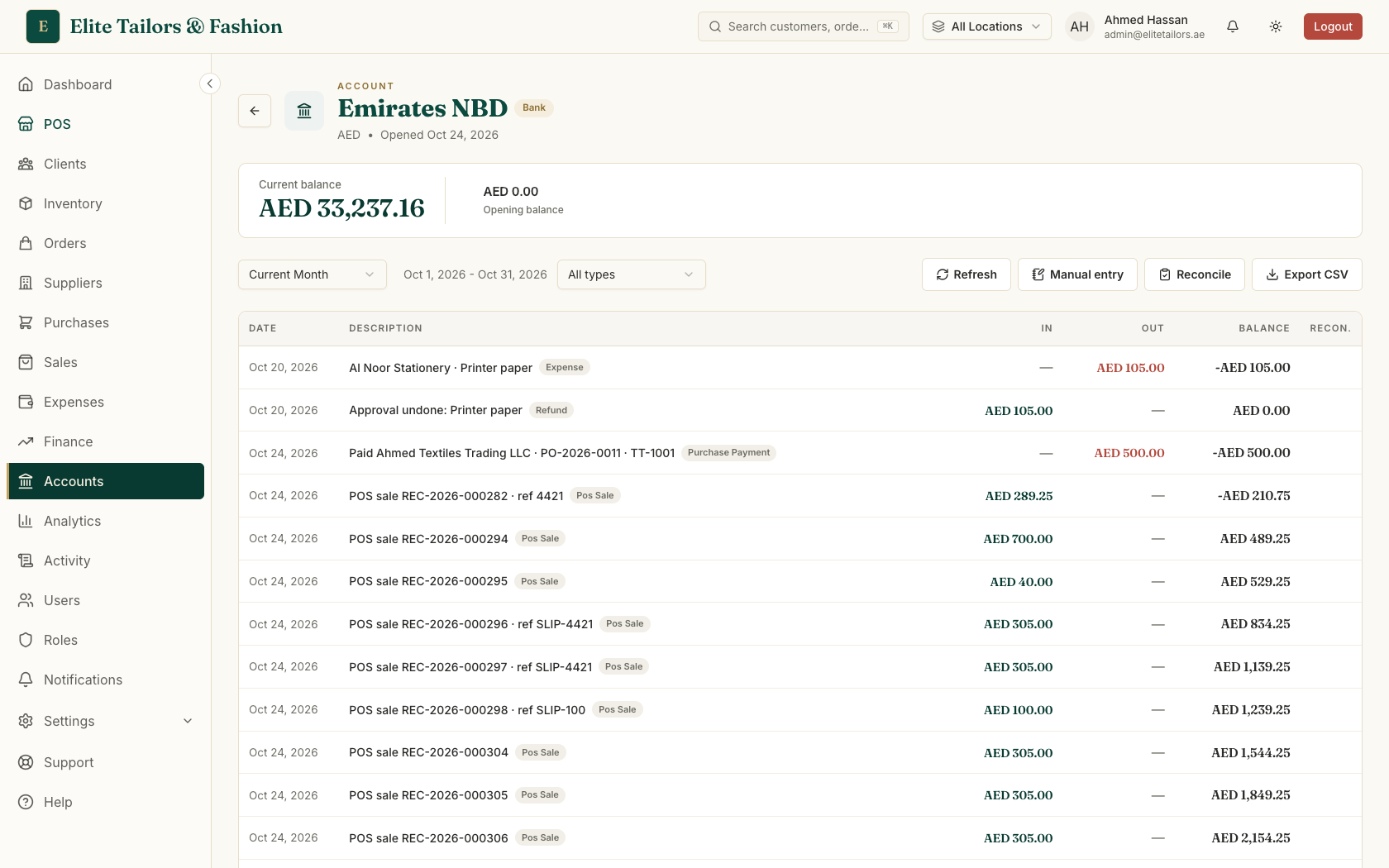
The Accounts page shows what each of your cash and bank accounts holds right now. Open the bank account and you get its statement: every payment in and out, with the running balance after each one. Green is money in, red is money out. A card sale or a bank-transfer payment lands here on its own through payment routing, so most of the lines are already there before you start.
Move the shop cash to the bank
When you take the till's cash to the bank, record that as a transfer, so the shop's cash account and the bank account both match reality. Nothing is spent or earned. The money changes account, so your total cash and bank stays the same.
- 1
On the Accounts page, press Transfer.
- 2
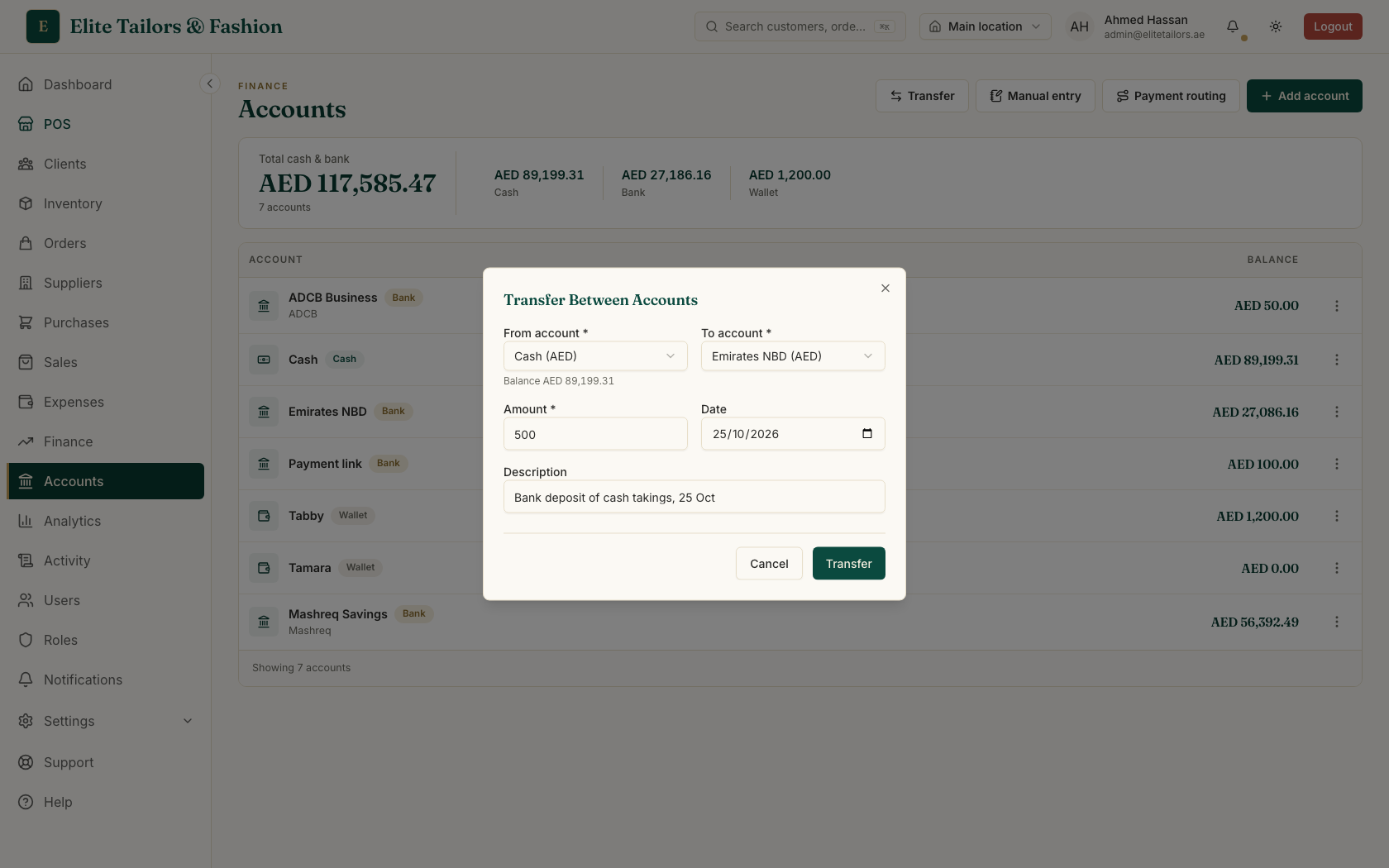
Choose the cash account as the From account and the bank as the To account. A line under the From account shows what it holds.
- 3
Type the Amount, for example AED 1,000, check the Date and press Transfer.
A transfer cannot be edited or deleted afterwards. If you typed the wrong amount, make a second transfer the other way. Bank only what you physically counted into the bag, not the day's "Cash taken" figure, because pay-outs and any over or short are not in that line.
Record the bank's fee
Your statement will show things TailorSync could not know about, such as a monthly account fee. Add them yourself with a manual entry so the account matches the bank.
- 1
Open the bank account and press Manual entry.
- 2
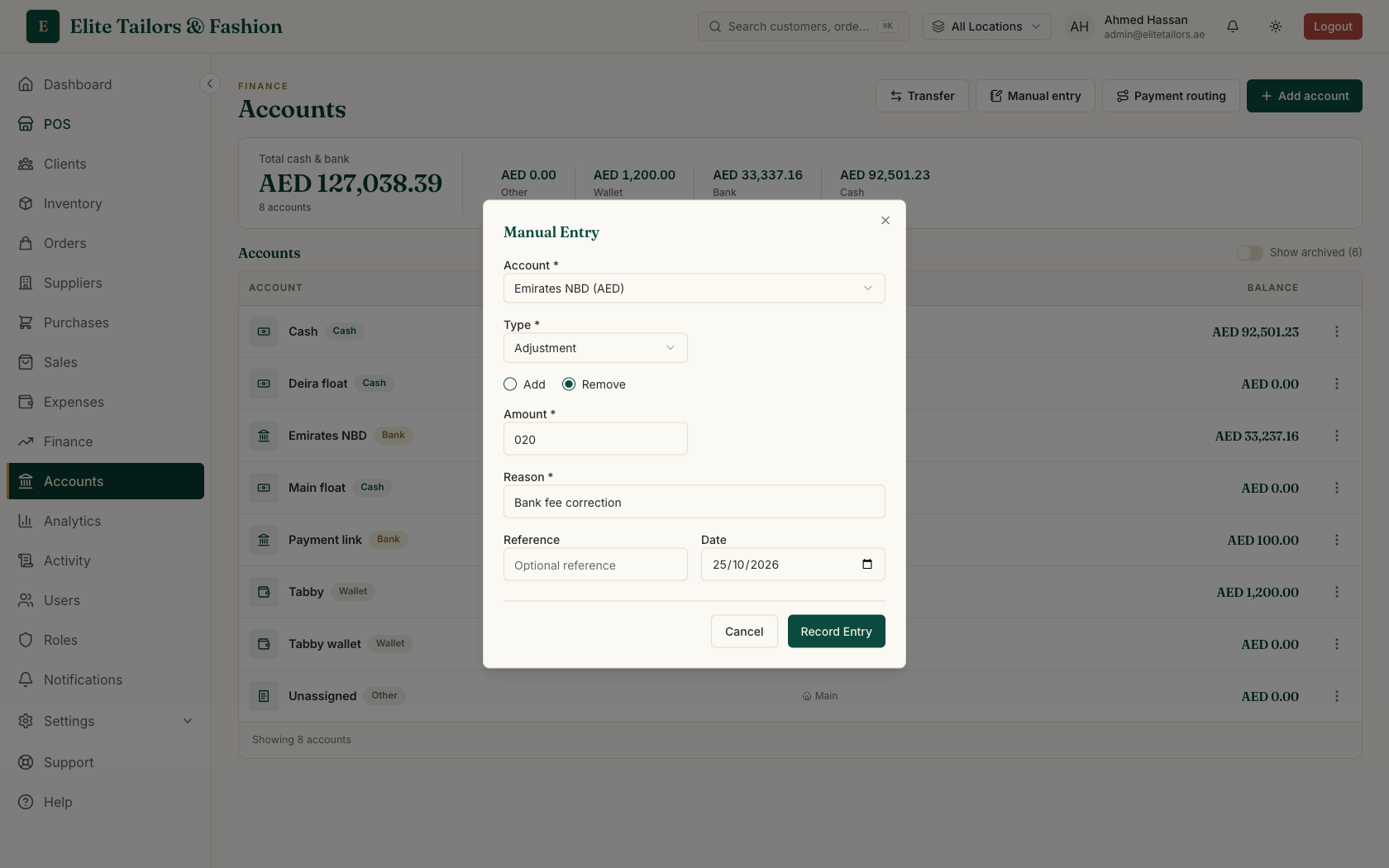
Choose Withdrawal, type the amount (a AED 25 fee, say) and write the Reason, such as "Bank charges for October".
- 3
Press Record Entry. The fee appears on the statement as money out.
Reconcile against the bank statement
- 1
On the bank account, press Reconcile.
- 2
Check the Statement date, type the Statement balance exactly as your bank shows it (the closing balance) and press Start reconciliation.
- 3
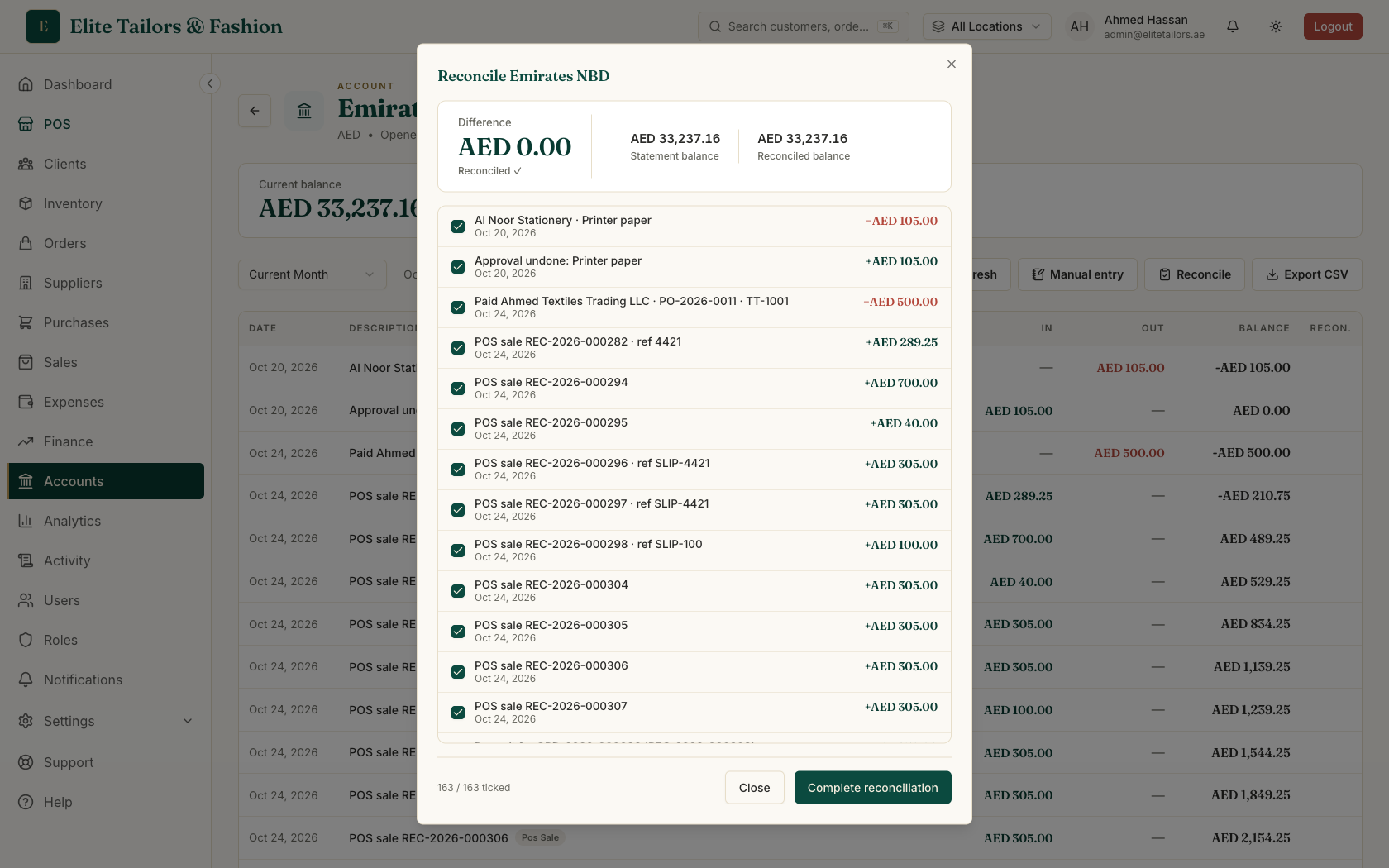
Tick each entry that also appears on the paper or PDF statement. The Difference updates with every tick. When you have checked the ones you recognise, Select all ticks the rest.
- 4
When the Difference reaches zero it turns green and reads Reconciled. Press Complete reconciliation.
If you close the window part-way, the reconciliation stays open and picks up where you left it. Once you complete one, its entries are locked: they leave the checklist and cannot be unticked. If the Difference is not zero you can still press Complete anyway, but it is better to find the missing line first.
Small bills paid from the till
Some bills are paid in cash from the drawer, like printer paper or tea for the shop. In the till, open Quick Access, go to the Pay out tab, and type the amount, what it was for and a category. It is saved as an approved expense and listed under Paid out this shift. If someone types AED 180 instead of AED 18, a manager can void the pay-out while the shift is still open. The money goes back into the drawer's expected cash, and the voided line stays on the list, crossed out, so the record is honest.
At the close of the shift, Expected cash is the float plus the cash taken, minus what you paid out. The same pay-out also appears in Expenses, already approved, marked as paid out of the till. Watch Petty cash from the till to see it on screen, or the full reconciliation in Your accounts at month-end.
Common questions
What does it mean to reconcile a bank account?
It means checking that the entries in your books match the entries on your bank's statement. In TailorSync you type the statement's closing balance, tick each line that is on the statement, and finish when the difference is zero.
How do I record a bank fee in TailorSync?
Open the bank account, press Manual entry, choose Withdrawal, type the amount and a reason, and press Record Entry. The fee then shows on the account's statement as money out, ready to tick during reconciliation.
How do I record taking the shop cash to the bank?
Use Transfer on the Accounts page, from your cash account to the bank, and enter the amount you banked. The cash account goes down and the bank goes up by the same amount, and your total cash and bank does not change.
What if the difference is not zero?
Keep ticking entries and look for a line that is on the statement but missing in TailorSync, such as a bank fee. You can press Complete anyway after a warning, but a zero difference is the sign the account matches.
Watch it
- Season 2, Episode 8: Your accounts at month-end (1:41 video)
- Season 2, Episode 6: Petty cash from the till (1:51 video)
Keep reading