Customer database for tailors: using measurement history to bring customers back
Updated · By the TailorSync team, built by a UAE tailoring family
A customer database for a tailor is one record per customer, found by phone number, that holds their measurement sets, every order and invoice, what they owe and when they last came in. Kept well, it does two jobs: a returning customer orders in a few minutes without being measured again, and you can see which regulars have gone quiet before the next season starts. Most shops already have the raw material in a measurement book, a phone full of WhatsApp chats and a drawer of order slips. This guide covers how to turn that into customer profiles you can use, with TailorSync as the worked example.
 Watch it · 2:58Add a customer and take measurementsSeason 1, Episode 5
What a tailor's customer record should hold
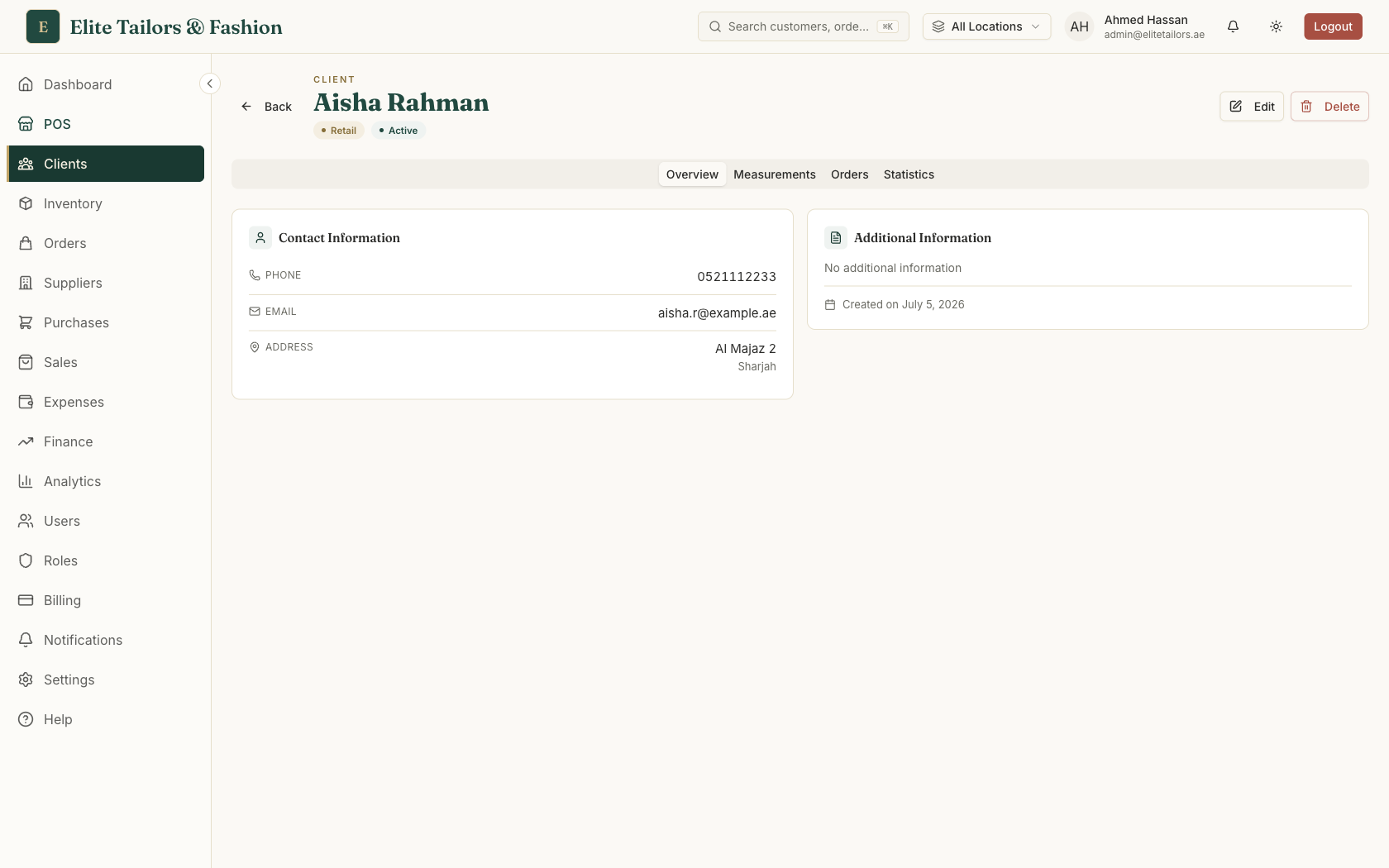
A name and a phone number get you started. What makes the record worth keeping is everything that collects around it over the years. In TailorSync a customer profile holds:
- 1
The phone number. It is required and unique in your shop, stored in international format, so it works as the key you search by at the counter.
- 2
Measurement sets. As many as the customer needs, each with a name such as Kandura or Wedding suit, and one marked active for new work.
- 3
Notes and preferences. Free text for the things a good tailor remembers: favourite fabrics, collar style, "prefers a loose fit".
- 4
Orders and invoices. Every tailoring order and sales invoice for that customer, with its status, total and balance.
- 5
Statistics. Number of orders, total billed, what is still owed and the date of the last order.
- 6
Store credit. Any credit the customer holds from a refund, a cancelled order or a goodwill gesture, with its history.
Keep one record per customer
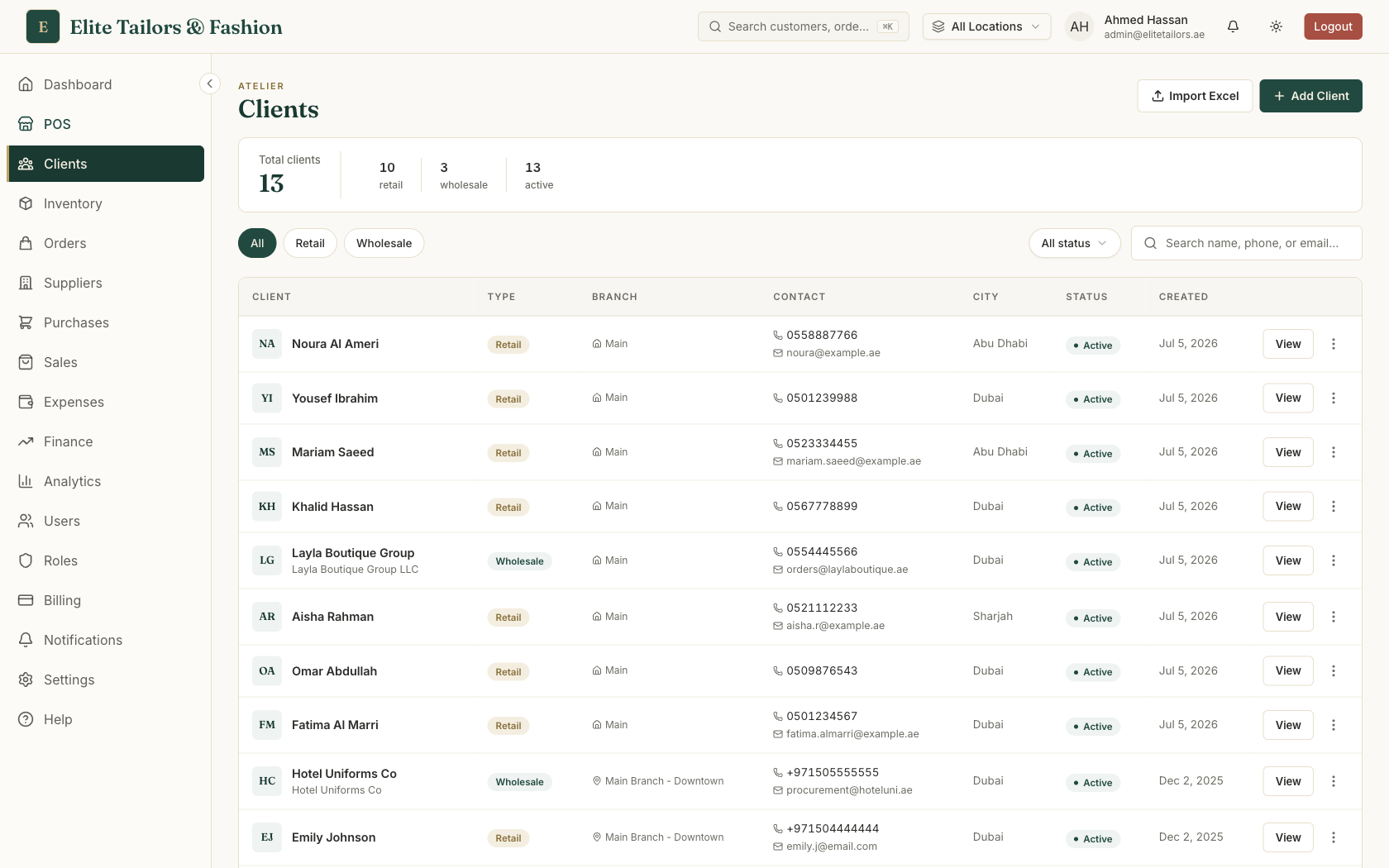
A customer database is only useful if each person appears once. Paper registers and spreadsheets drift the other way: the same customer turns up as Mohammed, Mohd and M. Al Hammadi across three pages, and his measurements are split between them. TailorSync uses the phone number to stop that. When someone types a number that already belongs to a customer, the form names that customer and offers Use this client, so the staff member picks the existing record instead of starting a second one. Emails have to be unique too.
Finding someone is a search box that matches name, phone, email and, for business accounts, company name. A customer who calls the shop can be found by the number on your screen while they are still talking. Customers you no longer serve can be set to Inactive, which hides them from the default list and keeps their history. Deleting is permanent, takes their measurements with it, and is refused for anyone who has orders or a credit history.
Why the measurement history matters
When you save a new measurement set, it becomes the active one and the older sets stay on the profile marked Inactive. Over a few years that builds a history: you can see that a customer's chest measurement has crept up, or go back to the set you used for his wedding kandura. Each order also keeps its own copy of the measurements it was cut to, so editing or deleting a set later never changes an order that was already made.
This history is what brings customers back. Someone who knows their measurements are on file can order a new kandura or abaya by phone or with a short visit, and the garment fits the way the last one did. When you take the order, the active set is picked for you, or the set named after the garment if there is one, and the tailor sees those numbers on the workshop copy. For how to take and store the measurements themselves, see how to store tailor measurements online.
See who has gone quiet
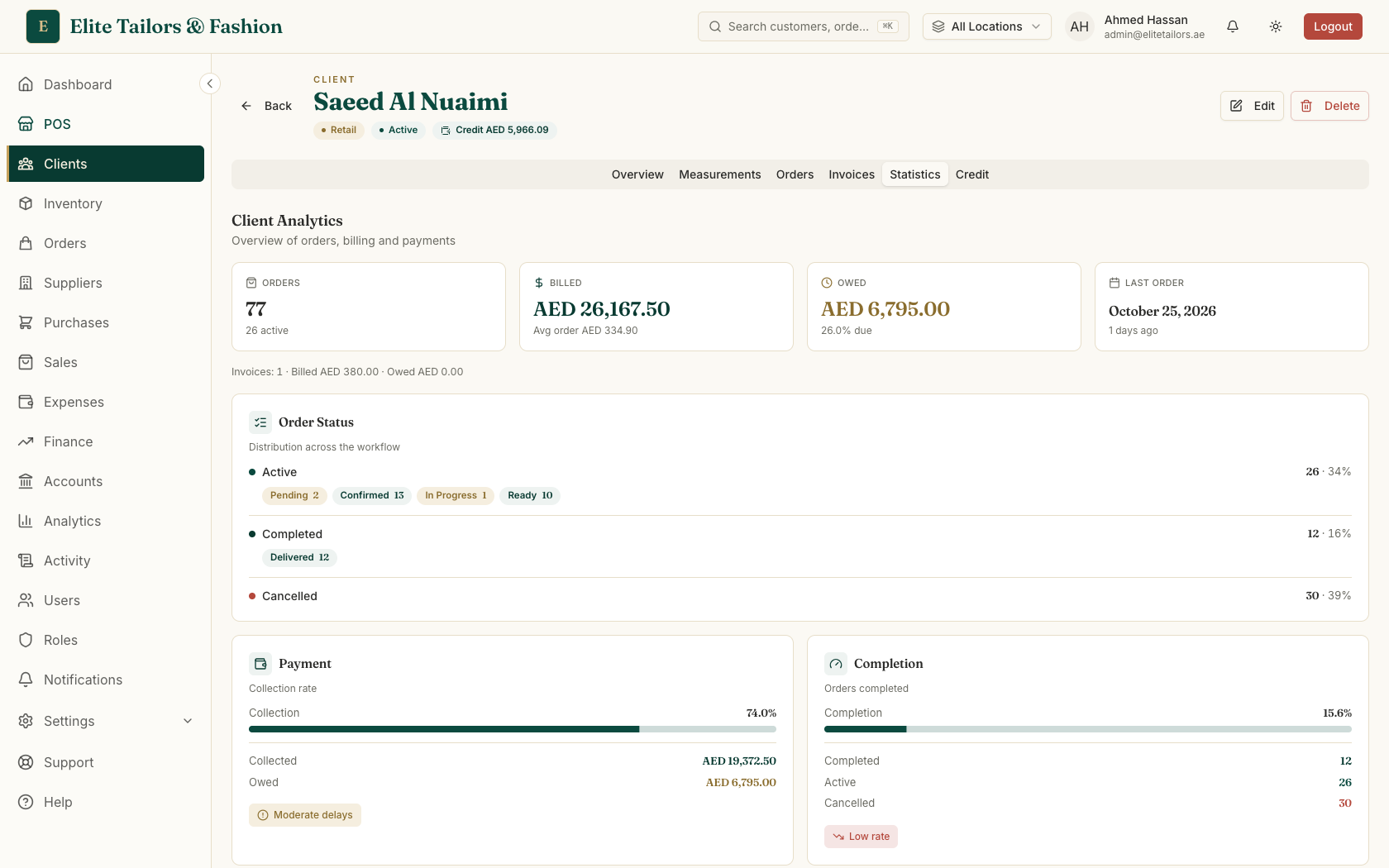
Every customer profile has a Statistics tab. The four tiles at the top show their Orders, what was Billed, what is still Owed and the date of their Last Order. Under those, TailorSync shows the average order value, how reliably they pay, and a line such as Last order 45d ago - reach out once a customer has gone more than 30 days without ordering. A customer who paid late before gets Sometimes delays - consider reminders instead of Excellent payment history.
To see your best customers together, the Analytics page lists the ten who spent the most in the chosen window (today, the last 7 days or the last 30 days), counting invoices, named till receipts and delivered orders. Analytics comes with the Trial, Expansion and Enterprise plans.
TailorSync tells you who to contact. It doesn't send marketing messages, SMS campaigns or loyalty points. You call or message the customer yourself, from your own phone or WhatsApp, which is how most Gulf tailoring shops talk to their regulars anyway.
A simple routine for bringing customers back
- 1
Before each season, call your regulars. A few weeks before Ramadan, the wedding season or the school term, open the profiles of the customers who order most and check their Last Order date. Anyone who usually orders for Eid and has not been in yet is worth a message.
- 2
Offer to reuse their measurements. Tell them their measurements are on file and they only need to choose the fabric. If a set is more than a year old, suggest a quick re-measure when they come in.
- 3
Send the order link when the garment is ready. Send via WhatsApp on the order sends a link to their order and invoice. The customer confirms their phone number, then sees the status and downloads the invoice.
- 4
Put things right with credit. If a collar comes out wrong, Give credit on their profile adds goodwill credit they can spend at the till. Credit does not expire, and it shows at the counter as soon as you pick the customer.
- 5
Write down what you learn. When a customer mentions a preference, add it to their notes so the next person who serves them knows it too.
Business customers in the same database
Boutiques, resellers and companies ordering uniforms sit in the same customer list as Wholesale clients. Their record adds a company name, a TRN for their tax invoices, a credit limit, payment terms of COD, Net 30, Net 60 or Net 90, and a standing discount. Their Invoices tab shows what they still owe, and a new invoice warns you when it takes them over their credit limit.
Who can see the records
Measurements are personal, so they have their own permission. A role without View client measurements doesn't see the Measurements tab at all, though the workshop still sees the numbers on the garments it has to make. If you run more than one branch, you choose whether each branch shares the customer list. Share it and a customer measured in one shop is already on file in the other; keep it separate and each branch builds its own. See running a tailoring business across several branches.
Moving your existing customers in
You don't have to type your customer book in one name at a time. Import Excel on the client list takes a template with name, phone, email, address, company, tax number, credit terms and notes. TailorSync previews the file first, skips rows whose phone number is already in the shop or repeated in the file, and flags rows with no valid phone. The import doesn't carry measurements, so add each customer's set the next time they order. The Starter plan holds up to 2,000 customers; Trial, Expansion and Enterprise have no limit. For the full move off paper, see moving off spreadsheets and paper order books.
Common questions
What should a customer database for a tailor shop include?
One record per customer, keyed by phone number, with their measurement sets, notes and preferences, every order and invoice, what they owe, any store credit, and the date they last ordered. In TailorSync all of that sits on the customer's profile, in tabs for measurements, orders, invoices, statistics and credit.
How do tailors bring customers back?
By keeping their measurements and preferences on file so a repeat order takes minutes, contacting regulars before the busy seasons, and fixing mistakes quickly. TailorSync shows each customer's last order date and flags anyone who has not ordered for more than 30 days; you then call or message them yourself.
Can I see when a customer last ordered?
Yes. The Statistics tab on each customer profile shows their Last Order date alongside their total orders, amount billed and amount owed, and adds a reach-out note once it has been more than 30 days.
Does TailorSync send reminders or marketing messages to customers?
No. TailorSync does not send SMS campaigns, marketing emails or loyalty points. You can send a customer a WhatsApp link to their order or invoice from your own number, and the customer profile tells you who to contact, but the messages are yours to send.
How many customers can I keep in TailorSync?
The Starter plan holds up to 2,000 customers. The free Trial, Expansion and Enterprise plans have no customer limit.
Can I import my existing customer list?
Yes, from Excel or CSV. TailorSync previews the file, skips customers whose phone number is already on file, and flags rows without a valid phone. Measurements are not part of the import, so they are added on each profile as customers come back.
Watch it
- Season 1, Episode 5: Add a customer and take measurements (2:58 video)
- Season 3, Episode 1: Bring your customers across (2:06 video)
- Season 1, Episode 12: When a customer comes back (3:18 video)
Keep reading