How to promise tailoring delivery dates your workshop can keep
Updated · By the TailorSync team, built by a UAE tailoring family
A delivery date a tailor shop can keep is worked out from the workshop: count only the days you work, how many pieces each stage gets through in a day and the work already queued ahead of the new order, then promise a date with some room in it. TailorSync works this out for every job card and order as a likely date and a safe date, warns you when work is at risk of missing its date, and gives the last day to take orders before Eid. This guide explains where those dates come from and how to use them at the counter.
Why delivery dates slip
Many late orders are already late on the day they are taken. The date is picked from habit ("a week, ten days") while the stitching table already has a week of work on it, or the embroidery that goes out to another workshop is forgotten, or Friday and a public holiday fall in the middle. One slow stage holds up every garment behind it, however quick the rest are. A date you can keep has to count all of that, and nobody can do that sum in their head at a busy counter.
Ready dates, Needs attention and the Rush planner come with Workshop tracking, in the free trial and the Expansion and Enterprise plans. The dates are for you: TailorSync never sends them to a customer.
Count only the days you work
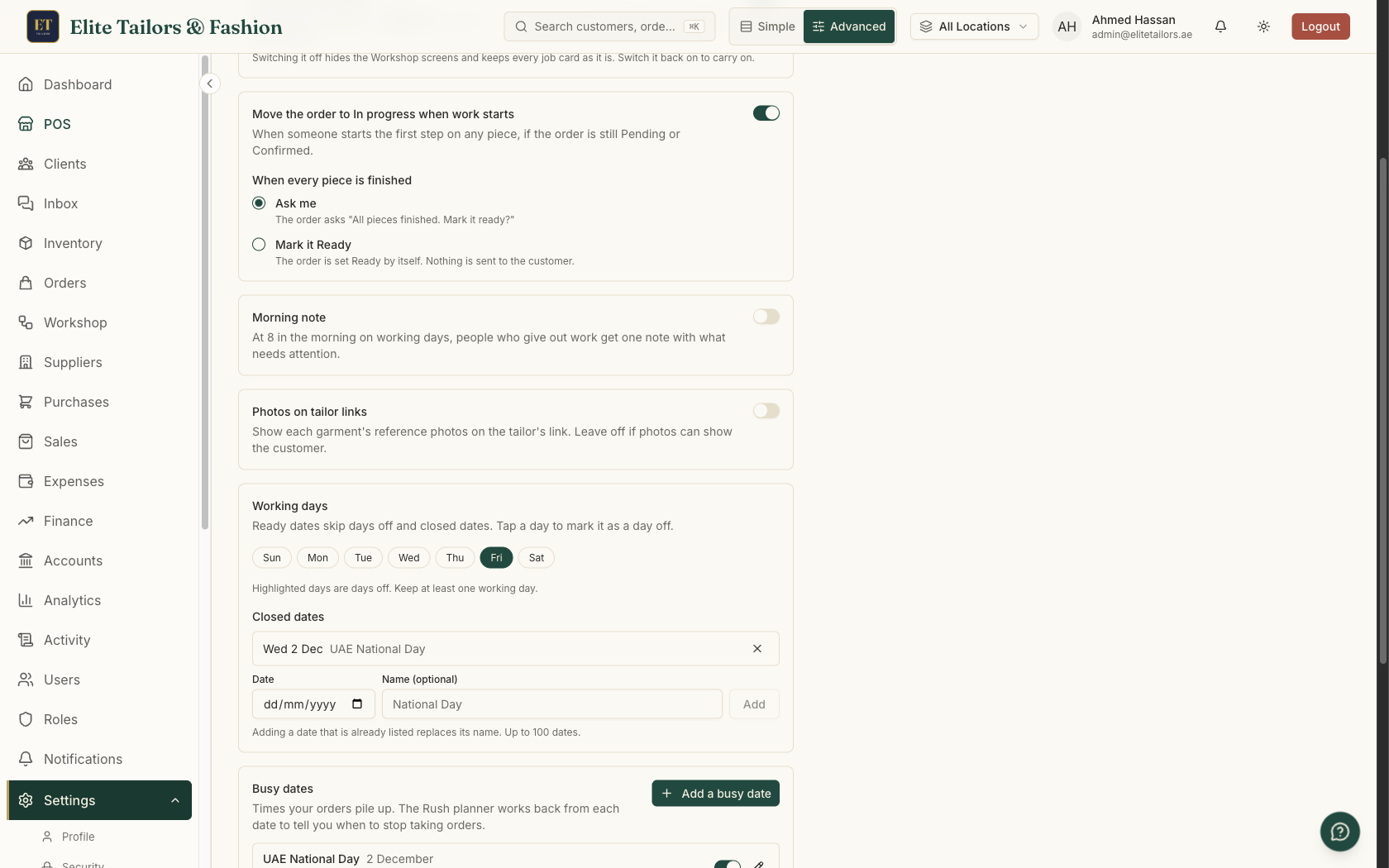
In Settings > Workshop, the Working days card marks your weekly days off. Friday is the day off to start with, and at least one day must stay a working day. Under Closed dates, add each day the shop shuts, such as the Eid holidays, with a name if you like. Ready dates skip all of them, and a closed date pushes out any date whose work falls across it.
Tell it each stage's pace
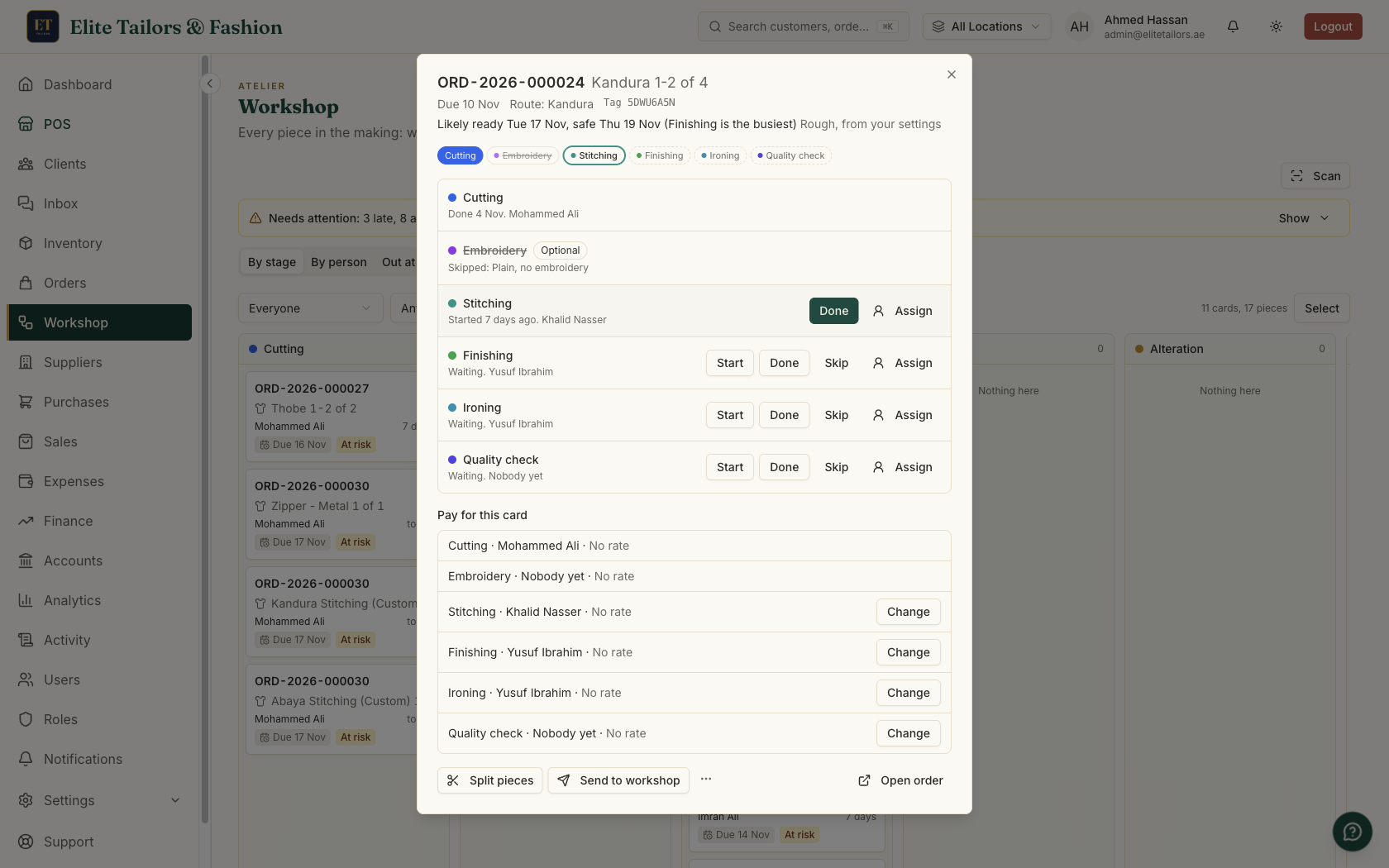
When you add a person on the Team tab, give each stage they do a Pieces a day: a cutter who cuts 8 kanduras a day gets an 8. A stage's own usual days, such as one day for tassels, go on the Stages tab. At first the dates are rough, worked out from these settings. As your team finishes work, each stage moves on to how long it really took over your last 8 weeks, and the card says which of the two it is using.
A likely date and a safe date
Every job card shows a line like Likely ready Wed 18 Nov, safe Sat 21 Nov, and adds the stage holding things up, like (Stitching is the busiest). The likely date is when it will probably be done. The safe date is one you can promise with some room to spare. The work already waiting at a stage goes first, the cards due soonest at the front, and a garment goes through its stages in order, so an order is ready when its slowest garment is.
At the counter, before you promise
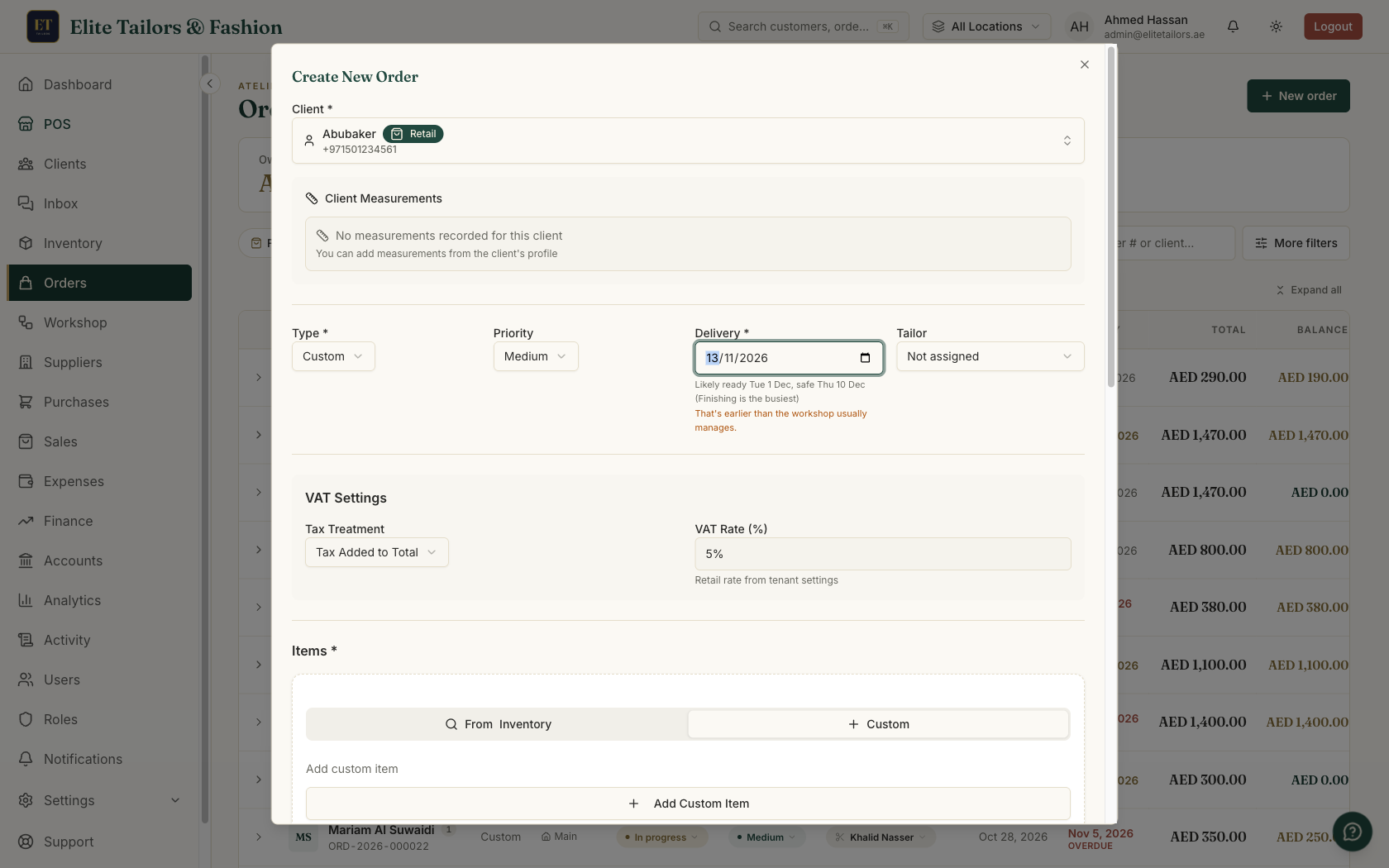
When you take a new order, a line under Delivery shows when the workshop will likely have it ready and the latest it safely will be. Promise any day before the safe date and the form says That's earlier than the workshop usually manages. in amber. It never stops you saving, since a regular's order sometimes has to jump the queue, but you make that call knowing the risk. Each garment line on the order also shows its own Likely ready date.
Catch the work that will be late
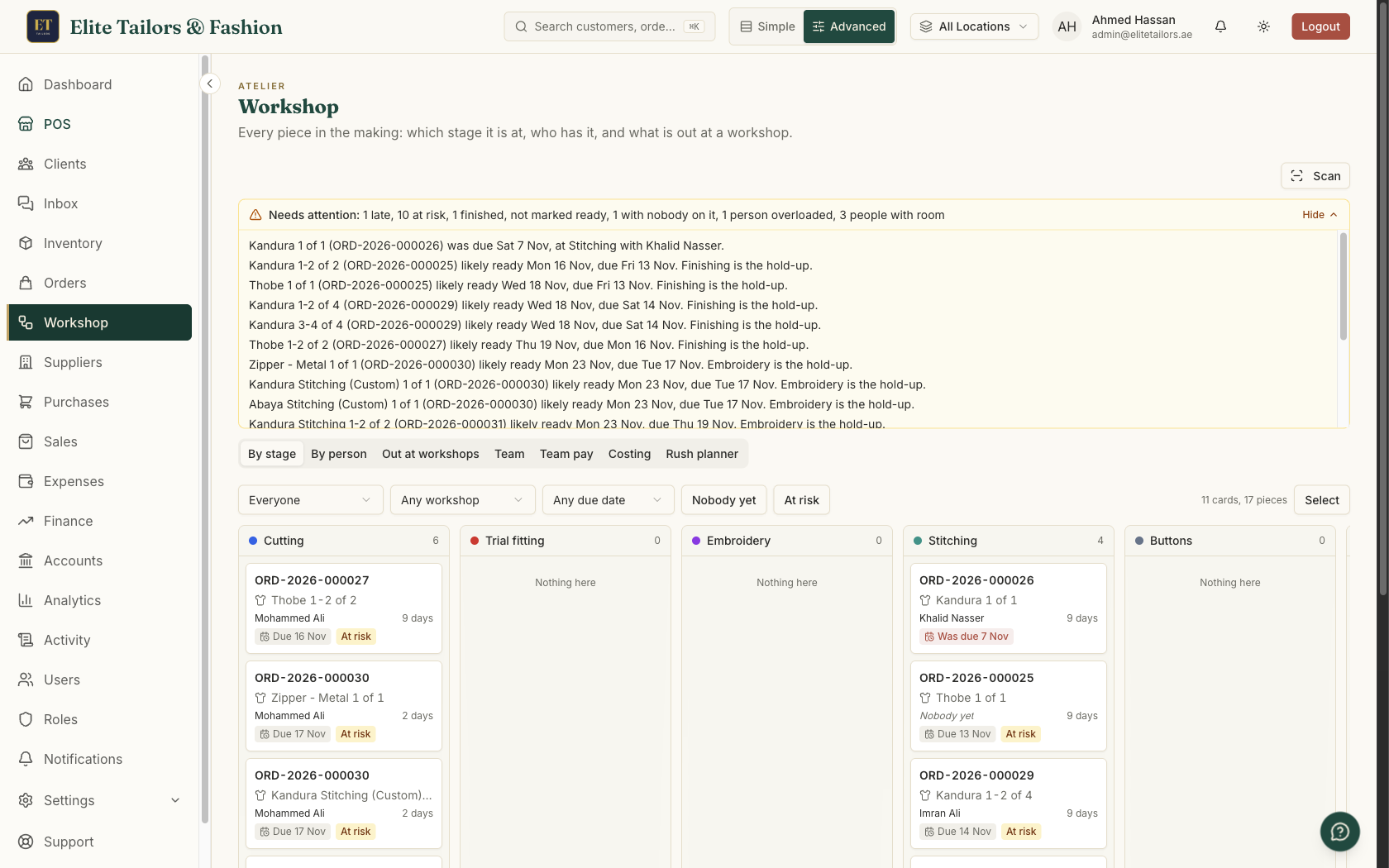
A card is At risk when its likely date has run past its due date but it isn't late yet. That is the moment to act, while there is still time to give the work to someone with room. The At risk filter on the Workshop board shows only those cards, and Needs attention, above the board, lists everything to deal with today:
- 1
Late work, and workshops late sending pieces back.
- 2
At risk work, with the stage holding it up.
- 3
Stuck steps: in progress much longer than that stage usually takes.
- 4
Trial fittings today or tomorrow for garments that have not reached the trial yet.
- 5
Orders with every piece finished but not yet marked ready.
- 6
Pieces nobody has been given for more than 4 hours, and anyone with more than they can finish before their earliest due date.
Switch on the Morning note in Settings and the people who give out work get the counts each working morning, only on days something needs attention. To move work, open By person to see who has room at that stage, and send them today's list on WhatsApp. If you have connected Claude or ChatGPT to your shop, ask Who has room for stitching this week?
Before Eid: the last day to take each order
The Rush planner tab on the Workshop page looks ahead to your next busy dates, such as National Day, Ramadan and Eid, and gives each kind of garment a line like To be ready before Eid al-Fitr, take Kandura orders by Mon 1 Feb. When it is already too late, it says so. When one stage is the bottleneck, the card names it and about how many more pieces a day would cover it. A chart shows how full each stage gets week by week.
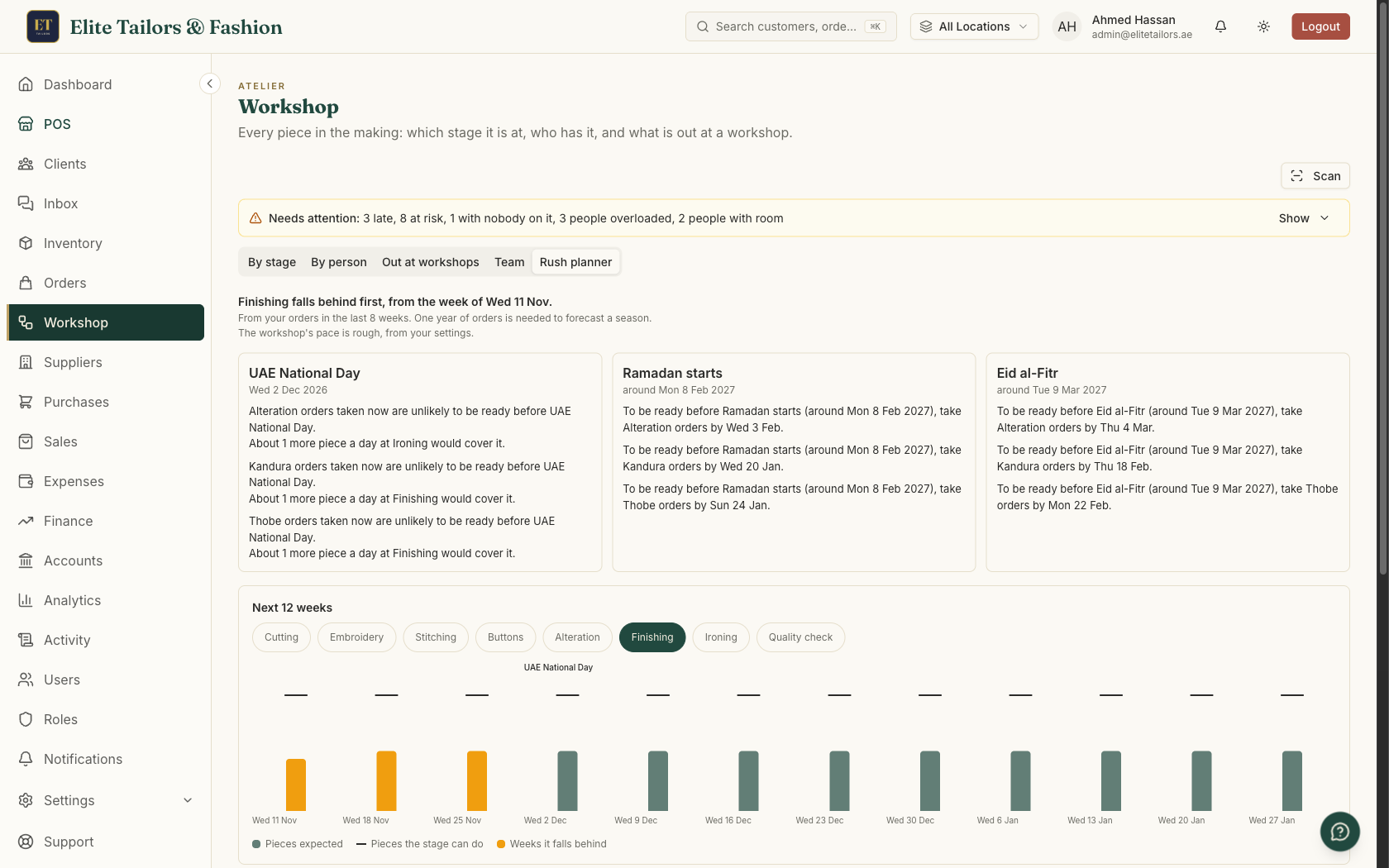
The forecast comes from your own orders: around the same time last year, scaled to your last 8 weeks, or the last 8 weeks alone for a newer shop. The busy dates start with Ramadan, the two Eids and your country's National Day. Confirm a date once the moon is sighted, switch one off, or add your own, like a wedding season, with how many days before it the orders should be ready. Preparing for the Ramadan and Eid rush covers the rest of the season: fabric, deposits and calling your regulars early.
Common questions
How do I work out a delivery date for a tailoring order?
Count only your working days, how many pieces each stage finishes in a day and the work already waiting at each stage, then promise a date with some room in it. TailorSync does this for every order and shows a likely date and a safe date under Delivery.
What is the difference between the likely date and the safe date?
The likely date is when the work will probably be done. The safe date is a later day you can promise with some room to spare.
Does TailorSync tell the customer these dates?
No. The likely and safe dates are for the shop. The customer only sees the delivery date you put on the order.
How are Fridays and Eid holidays counted?
Your weekly days off and the closed dates you list in Settings are skipped, so a ready date never lands on a day the workshop is shut.
How do I know when to stop taking orders before Eid?
The Rush planner gives the last day to take each kind of order and still have it ready before each busy date, from your own past orders and your team pace.
Watch it
Keep reading