Tailor shop management software: what it does, and download vs online
Updated · By the TailorSync team, built by a UAE tailoring family
Tailor shop management software keeps a tailoring shop's customers, measurements, custom orders, counter sales, stock and VAT invoices in one system. It comes in two forms: a program you download and install on one computer, or an online system you open in a web browser. TailorSync is the online kind. There is no installer to download. You sign in from a browser on the shop computer, a tablet or a phone, and you can add it to the home screen so it opens like an app. This guide covers what the software should do for a tailoring shop, what download and online mean day to day, how to install TailorSync on each device, and how the free trial works.
 Watch it · 2:04Sign up and pick a planSeason 1, Episode 1
What tailor shop management software does
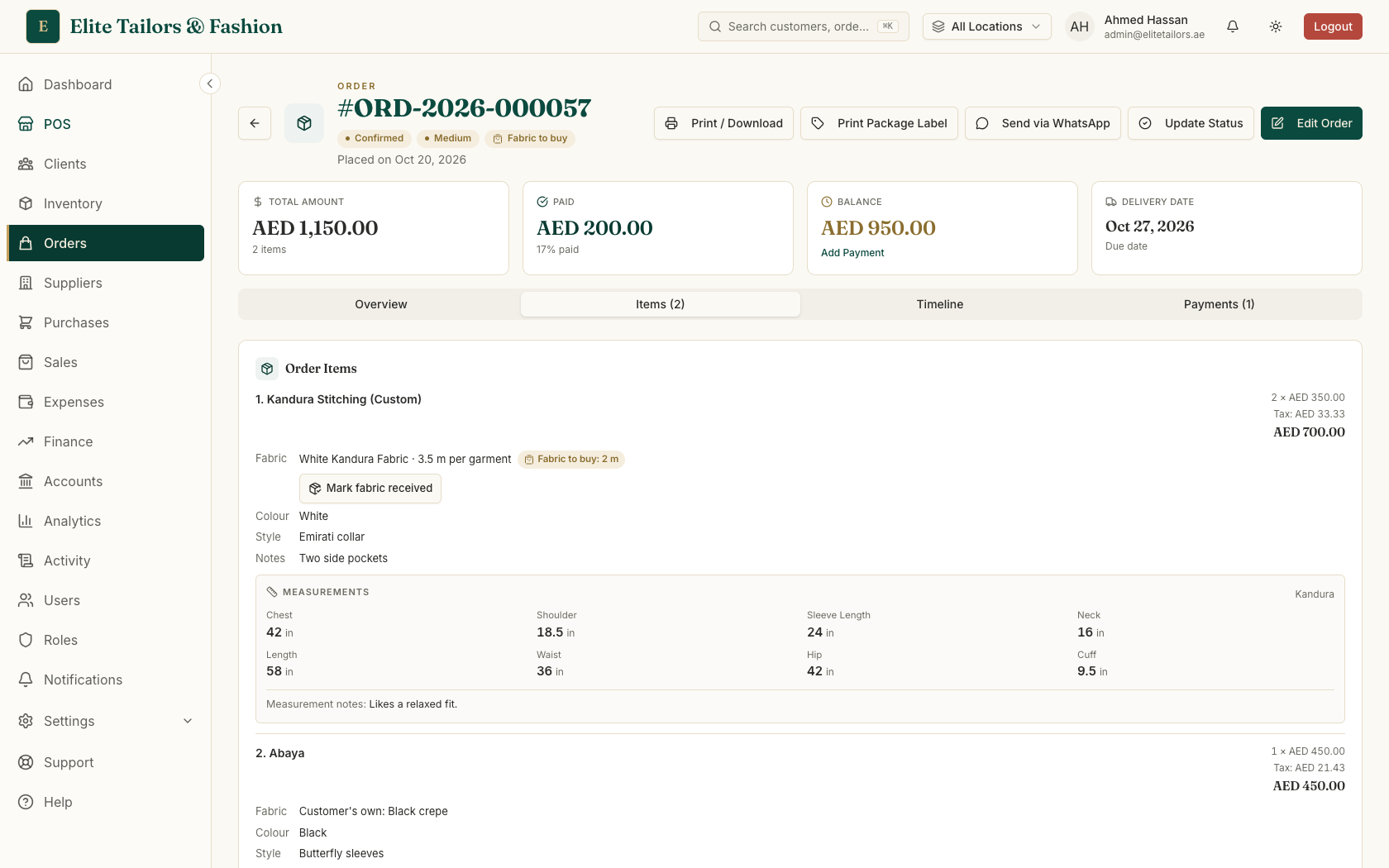
A retail till handles a sale that ends at the counter. A tailoring shop also has work that lasts days or weeks: the customer is measured, the garment is cut and stitched, there may be a fitting, and the balance is paid at pickup. Software for a tailoring shop has to hold both kinds of work, which comes down to these jobs:
- 1
Customers and measurements. Each customer has a profile with their saved measurement sets, so a returning customer is not measured from scratch.
- 2
Custom orders. Each order lists its garments with the fabric, style and measurements, the delivery date, and the stage each piece has reached in the workshop.
- 3
Deposits and balances. The shop takes an advance when the order is booked, and the software keeps track of the balance until pickup.
- 4
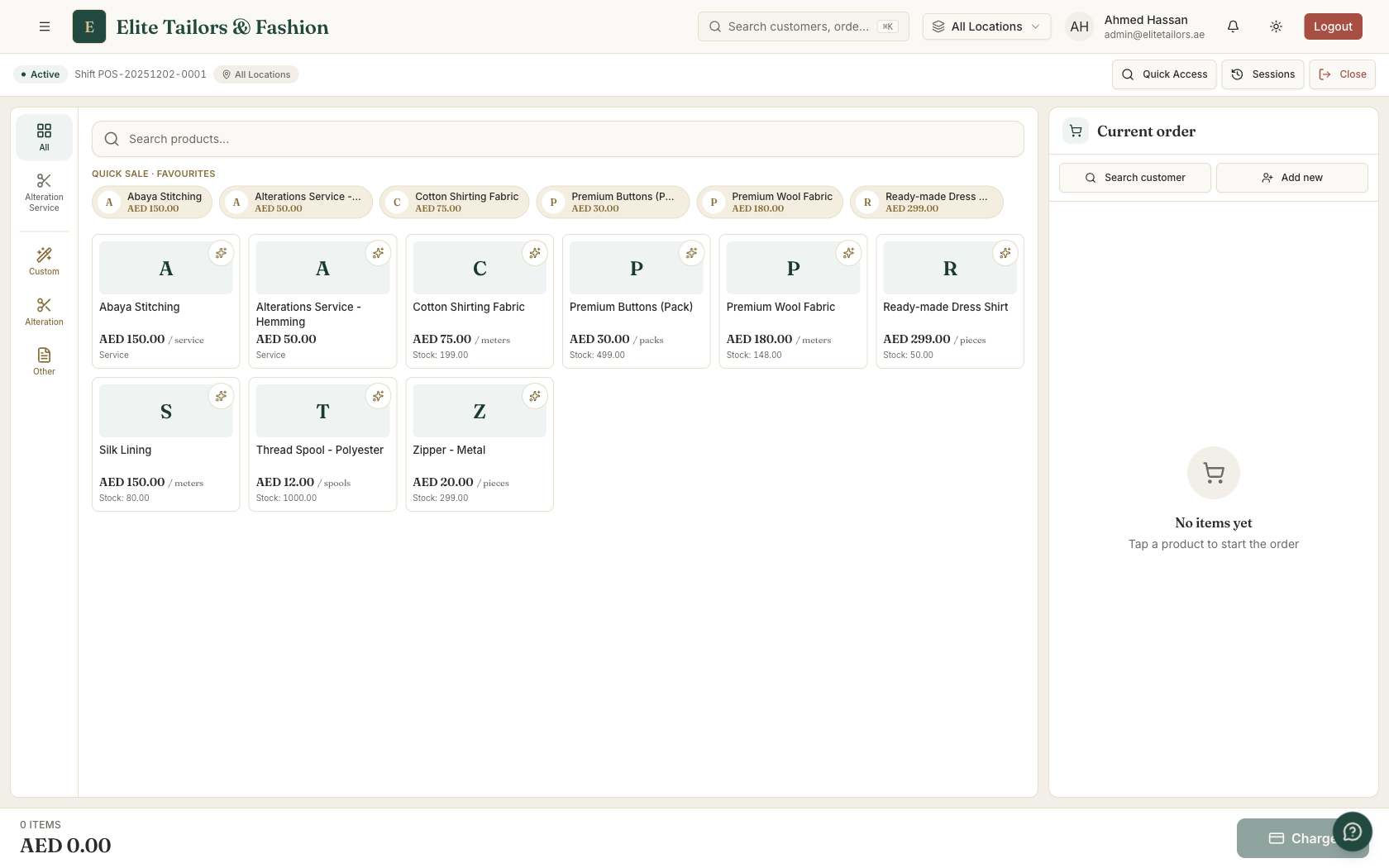
The counter. Walk-in sales of fabric, ready-made pieces and services, with receipts and a cash drawer that is counted at the end of the day.
- 5
Stock. Fabric in metres or yards, trims and ready-made items, with a warning when something runs low.
- 6
VAT invoices and reports. In the UAE, tax invoices that meet FTA rules, and the figures you need for the VAT return.
Our tailor shop management software page goes through how TailorSync handles each of these. The rest of this guide is about a question that comes up early: whether to download a program or work online.
Download or online: what changes for the shop
A downloaded program is installed on one computer and saves your records on that computer's disk. Its strength is that it keeps working when the internet drops. The rest is up to you. You make the backups, and a failed disk or a stolen laptop can take years of measurements with it. A second computer, a phone or a second branch usually needs its own copy or a network set up between them, and new versions have to be installed by hand.
An online system keeps your records on the provider's servers, and you open it in a web browser. Every device you sign in from sees the same customers and orders, so the counter computer, the owner's phone and a second branch all work from one book. Updates arrive without anyone installing them, and the provider runs the backups. The trade-off is that it needs an internet connection, and it is usually a monthly subscription.
TailorSync is online. It keeps your shop's records on its servers and backs up the database every night. It needs a working internet connection to load and save sales, orders and payments, so if your shop's line is unreliable, keep a phone hotspot ready. When there is an update, TailorSync shows a message with a Refresh button and waits for you to press it, so an update never reloads the screen in the middle of a sale.
Be careful with a "free download" of shop software from a file-sharing site. It can be an old or cracked copy that nobody supports, it can carry malware, and your customers' details end up on one computer with no backup.
Is there a free version?
There is no free-forever version of TailorSync, and nothing to download. There is a free trial: 30 days with the core modules, for up to five users at one shop. Choose the Trial plan when you sign up and no card is needed. To keep going after the 30 days, choose a paid plan in Billing: Starter for a single shop, Expansion for up to 20 users and more than one branch, or Enterprise for larger groups. Current prices, in AED, are in the pricing section of the home page.
Install TailorSync like an app
You can add TailorSync to the home screen of a phone, a tablet or a computer straight from the browser, without an app store. It gets its own icon and opens full screen, without the browser's address bar around it, so a counter tablet behaves like a till.
- 1
On an iPhone or iPad, open TailorSync in Safari and sign in. Tap the Share button, then Add to Home Screen.
- 2
On an Android phone or tablet, open TailorSync in Chrome. Tap the ⋮ menu, then Add to home screen or Install app.
- 3
On a Windows PC or a Mac, open TailorSync in Chrome or Microsoft Edge and click the install icon at the right end of the address bar.
Install it on as many of the shop's devices as you need. Everyone works from the same records, and each member of staff signs in with their own login, so the counter tablet, the workshop computer and your phone all show the same orders.
A checklist before you choose
Whichever software you try, run a real week of the shop through it during the trial and check these points:
- 1
Can you save more than one set of measurements for a customer, with a note for the tailor?
- 2
Does each order show every garment, its stage in the workshop and the promised delivery date?
- 3
Can you take a deposit and see what is still owed at pickup, across all open orders?
- 4
Does it print VAT invoices that meet your tax authority's rules, with your TRN on them?
- 5
Can it sell fabric by the metre and keep stock in metres?
- 6
Can each member of staff have their own login, with limits on what they can do?
- 7
Does it work on the phones and tablets your shop already has?
- 8
Who makes the backups, and what happens to your records if the shop computer breaks?
Getting started
To sign up you enter your shop name, a web address for your shop and your email, then verify the email and sign in. The setup guide covers the first week, from business details and VAT to the first order. If your customers are in a spreadsheet now, moving off spreadsheets shows how to import them in one go.
Common questions
Can I download tailor shop management software for free?
Some tailoring programs are sold as downloads, but TailorSync runs online, so there is no file to download. You open it in a web browser, or add it to the home screen of your phone or computer so it opens like an app. In place of a free download there is a free 30-day trial with the core modules for up to five users at one shop, and no card is needed if you choose the Trial plan.
Is there a TailorSync app on the App Store or Google Play?
No. TailorSync installs from the browser instead. On an iPhone, open it in Safari, tap Share, then Add to Home Screen. On Android, use the Chrome menu and choose Add to home screen or Install app. On a computer, Chrome and Edge show an install icon at the end of the address bar. Once installed, it opens full screen with its own icon.
Does TailorSync work without the internet?
No. TailorSync is online software, so it needs an internet connection to load and save sales, orders and payments. If your shop's connection is unreliable, keep a phone hotspot as a backup. Because the records live online, a broken shop computer doesn't take your customers and measurements with it.
Where is my shop's data stored?
On TailorSync's servers, and the database is backed up every night. That is why the counter computer, a tablet, the owner's phone and a second branch all see the same customers and orders, and why a failed or stolen computer doesn't lose your measurement records.
How much does tailor shop management software cost?
TailorSync starts with a free 30-day trial. After that there are monthly plans priced in AED: Starter for a single shop, Expansion for up to 20 users and more than one branch, and Enterprise for larger groups. The home page shows the current prices.
Can I use TailorSync on several devices or in two branches?
Yes. Your team can sign in from the shop computer, tablets and their own phones, each person with their own login, and everyone sees the same records. Starter covers one shop with up to five users. For a second branch, Expansion covers up to 20 users across more than one branch.
Watch it
- Season 1, Episode 1: Sign up and pick a plan (2:04 video)
- Season 1, Episode 3: Set up your shop (3:54 video)
Keep reading